Free and paid plans
Strikethrough price
Show the savings next to the price, before the cart. The compare-at price is what shows the strikethrough original price.
Sale prices, not discount codes
Schedule your sale and PriceDip lowers your prices, then restores them automatically when the sale ends. Show shoppers the savings, then add urgency with a badge, a stock bar, a storewide banner and a countdown timer.
Used by 1,000+ Shopify stores since 2023
How it works
Pick the products, the price and the schedule in your store's time zone. Your prices go back automatically when the sale or price change ends.
You can also pick single products or the whole store.
Tag: black-friday
Set a charm price or price code on your sale items too, like .99 or .97.
40% off or $20 off
Run it once, or every week or month. Move a one-time sale’s end time, or end any sale early.
Fri 12:00 am to Sat 11:59 pm
Black Friday 48-hour sale
Flash sale · 40% off
On sale
23 variants
Sale ends in
15:21:36
Nordic Wool Crewneck
14 variants
$60.00
$100.00
Trail Running Jacket
9 variants
$108.00
$180.00
Want the click-by-click version? Follow the Quick Start guide
Flash sales
Put the savings, the deadline and the stock level in front of shoppers before they reach the cart.
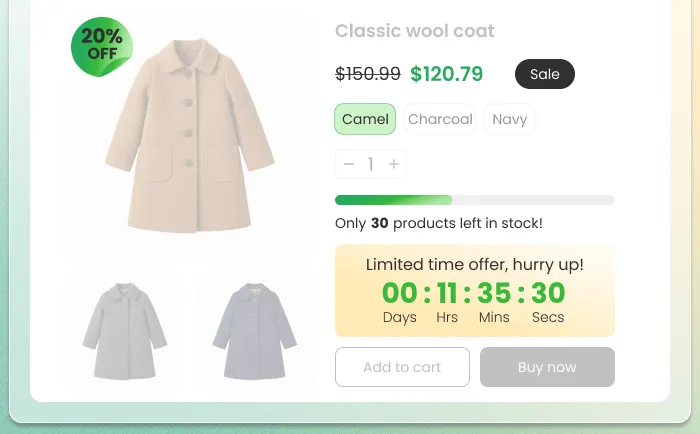
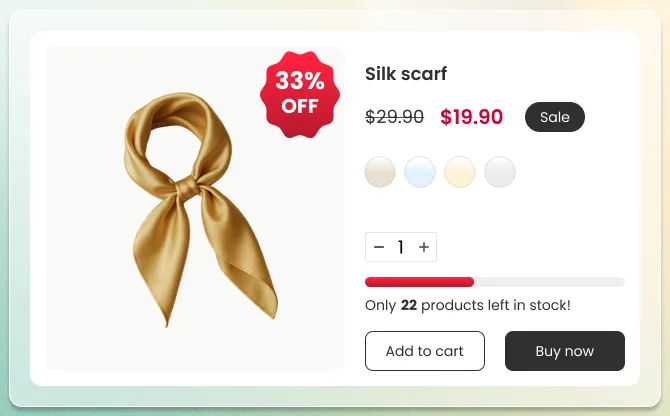
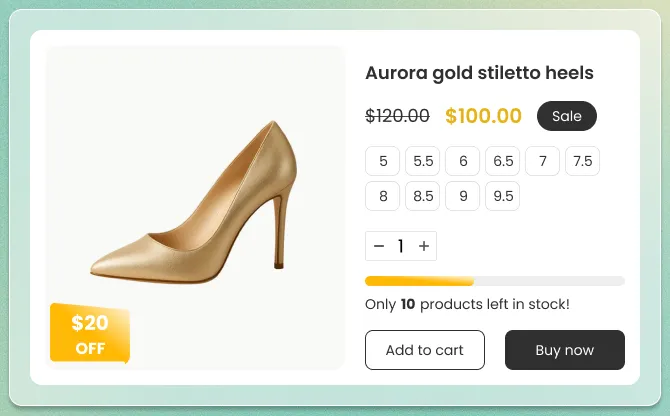
Show the savings next to the price, before the cart. The compare-at price is what shows the strikethrough original price.
Add a badge such as 40% OFF to your sale products, so nobody has to work out the savings.
Give shoppers a real deadline they can watch, right on the product page.
Show real stock running low on the product page, before shoppers decide. It appears once stock falls to the level you set.
Tell shoppers about the sale the moment they land. Set it up in advance to announce an upcoming sale.
See how flash sale badges and countdown timers work on Shopify .
Flash sale ideas
Plan a short push around a date, a clearance or a weekly habit.
Build the sale ahead of the rush and choose when it starts.
A short sale leaves no time to hunt for a code: the sale price is already on the product.
Put the products tying up your cash on a short sale. You choose the products, how deep it goes and when it ends.
Run the same deal every week without rebuilding it.
Flash sales: sale price or code
A Shopify discount applies in the cart or at checkout, and the listed price stays the same. PriceDip changes the price on the product itself, so in a flash sale shoppers see the sale price before the cart. It does not create discount codes.
| Compare | Sale price on the product (PriceDip) | Shopify discount code or automatic discount |
|---|---|---|
| Listed product price | Lowered for the sale period | Does not change |
| Where shoppers see the savings | On the product, next to the original price | In the cart or at checkout |
| What the shopper has to do | Nothing. The price is already lower | Enter a code, or meet the conditions of an automatic discount |
| What Shopify's product sync sends to Google | The sale price and the original price, when the sync is on. Google decides whether to show a sale | The usual price. A promotion can be published separately |
| Who gets the savings | Every shopper, including those who would have paid full price | Shoppers who have the code or meet the conditions |
| Use it for | Sales meant for every visitor | Offers for a specific audience |
Shopify's own discounts fit better when an offer is for a specific audience. You can also set a compare-at price by hand in Shopify admin. PriceDip sets it on many products at once, on a schedule, and reverts it at the end.
A discount that applies to a product also applies on top of its sale price. Our advice: check which discounts are active before a sale. See Discount codes vs sale prices on Shopify and the EU 30-day rule.
Scheduled price changes
Set the date and pick the products. PriceDip raises or lowers prices by a percentage or an amount, or sets a new price, and the new prices start on that date.
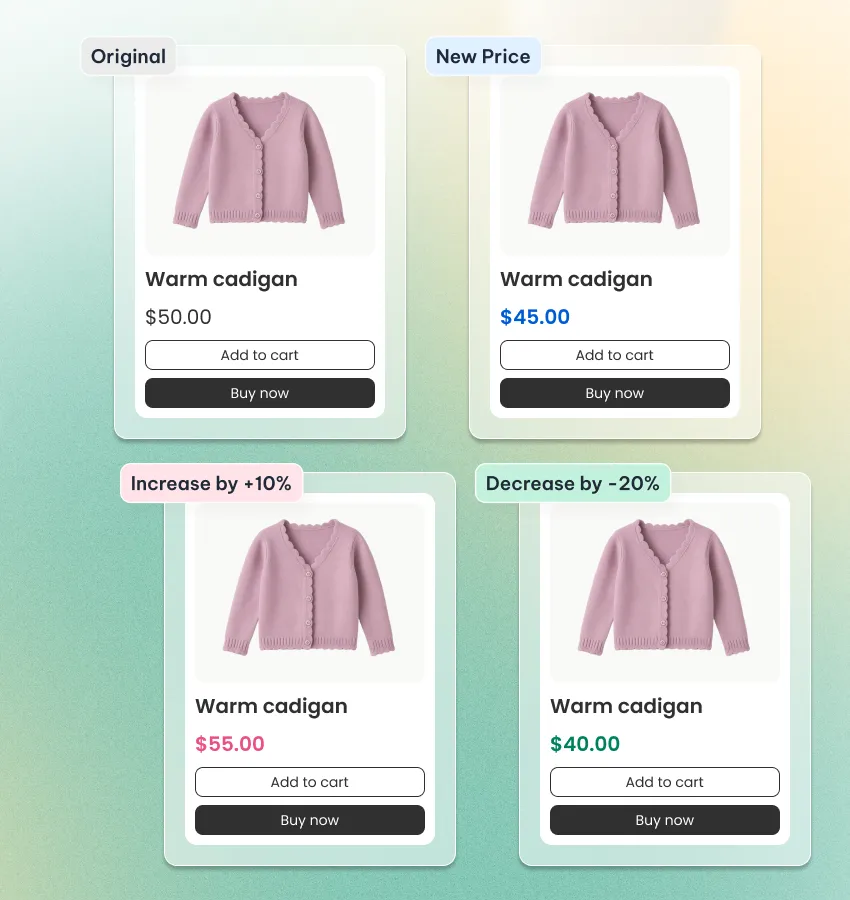
Reprice a product type, a tag or a collection in one go, by a percentage or an amount.
Put this year’s increase on the calendar. The new prices start on the date you choose and stay until you revert them.
Switch to summer or holiday prices, then let them go back on the end date you set.
Pricing more complicated than one rule? Shopify's own bulk editor is the better fit. See when to use the bulk editor.
Two tools
Use a flash sale to show shoppers a deal. Use a scheduled price change to change prices on a set date.
Flash Sale task
Price Edit task
Pricing
Start free with 50 product variants in total across your active tasks. Paid plans remove that limit, and your Shopify plan sets which one you pay for.
Details are in Plans and limits.
Always free
$0 / month
For stores on Shopify Starter or Basic
$7.99 / month
For stores on the Shopify Grow plan
$12.99 / month
For stores on Shopify Advanced or Plus
$21.99 / month
Prices are in USD. Shopify bills you in your store's billing currency, at the exchange rate on the day of each charge. Paid plans are billed every 30 days, with no usage charges.
| What you get | Free | Basic, Professional, Premium |
|---|---|---|
| Active price rules | Unlimited | Unlimited |
| Product variants (versions of a product, such as sizes) | 50 in total across active tasks | Unlimited |
| Product filters | Filter by product | Unlimited filters (products, collections, tags, product types) |
| Weekly and monthly schedules | Not included | Included |
| Countdown timer | Not included | Included |
| Flash sale badge | Included | Included |
| Stock progress bar | Included | Included |
| Promotion banner | Included | Included |
| Promotion banner timer | Not included | Included |
| Email support and theme setup help | Included | Included |
Frequently asked questions
Short answers. Each links to the help article with the full one. Everything else is in the help centre.
PriceDip is a Shopify app that schedules price changes and flash sales. It changes prices and compare-at prices and reverts them automatically.
Read more: What is PriceDip?
PriceDip does not create discount codes or automatic discounts. It changes the product price and compare-at price, so shoppers see the lower price without entering a code.
Read more: Discount codes vs sale prices
In most themes, a flash sale shows the original price with a strikethrough next to the lower sale price. It can also show a flash sale badge, a countdown timer and a stock progress bar.
Read more: How to run a flash sale on Shopify
PriceDip can raise or lower prices by a percentage or an amount, or set a new price, on the date and time you choose. Use it for markups on a product type, tag or collection, an annual increase or a seasonal change.
Read more: How to schedule a price change on Shopify
PriceDip reverts the prices it changed from the end time you set, or earlier if you end the sale yourself. Our advice: give each flash sale an end time, and its prices go back without a reminder.
Read more: How price reverts work
The sale price is the product’s own price, so it shows wherever your theme shows a price. The compare-at price, when it is higher, is what shows the strikethrough original price, and your theme decides how it looks.
Read more: Compare-at price (strikethrough price)
PriceDip has a Free plan, so you can install it and run a sale at no cost. Paid plans are billed through Shopify, at the prices shown in the pricing section.
Read more: Plans and limits
Before uninstalling PriceDip, revert any running sale and any price change you do not want to keep, then check your prices. Uninstalling leaves your prices as they are.
Read more: Uninstalling and restoring prices