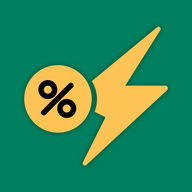
Enable the app embed
To enable the app embed, open Online Store in Shopify admin, click Edit theme on your live theme, click the App embeds icon in the sidebar, switch on the app’s embed (green and yellow icon) and click Save. The countdown timer, stock progress bar and promotion banner show on your storefront only when this embed is on.
Turn the app embed on
Section titled “Turn the app embed on”In Shopify admin, at the time of writing:
- Go to Online Store.
- Find your live theme and click Edit theme.
- In the theme editor’s sidebar, click the App embeds icon.
- Find the app’s embed in the list. It has a green and yellow icon. Switch its toggle on.
- Click Save.

Which widgets need the app embed
Section titled “Which widgets need the app embed”| Widget | What the app embed does |
|---|---|
| Countdown timer | Required. The timer does not show while the embed is off. |
| Promotion banner | Required. The banner does not show while the embed is off. |
| Stock progress bar | Required. The bar does not show while the embed is off. |
| Flash sale badge | If the badge does not show, check the app embed first. |
The price change itself is made to your products in Shopify. On most themes, a product in a Flash Sale task shows the original price with a strikethrough next to the sale price.
Check that it worked
Section titled “Check that it worked”- Make sure at least one task is Active and inside its schedule.
- Open a product from that task on your storefront.
- Look for the widgets you switched on for the task.
If the countdown timer is still missing, work through Why is the countdown timer not showing?